
iOS Sideloading Complete Guide 2026 - All 10 Methods Explained
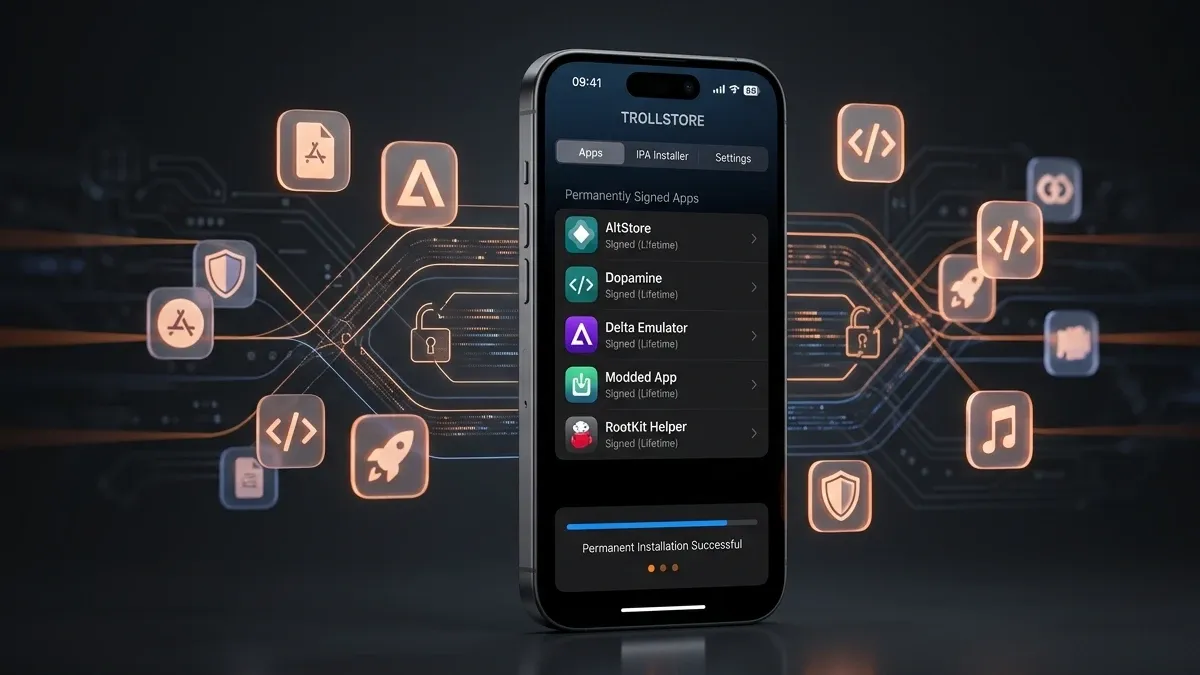
Sideloading on iPhone has never had more options, and never been more confusing. In 2026, you can choose from 10 distinct signing and installation methods, each working differently depending on your iOS version, technical comfort level, and how much you want to pay.
This guide cuts through the noise. Whether you're on the latest iOS 26, stuck on iOS 18, or deliberately staying on iOS 17.0 for TrollStore — you'll find your exact path here.
What Is iOS Sideloading?
Sideloading means installing apps on your iPhone or iPad from outside the official App Store. Unlike Android, where sideloading is built-in, iOS requires workarounds either exploiting Apple's developer signing infrastructure or, in rare cases, actual security exploits like TrollStore's CoreTrust bypass.
Sideloaded apps include
- Tweaked apps — modified versions of YouTube, Spotify, Instagram with extra features
- Emulators — Delta, PPSSPP, Dolphin for retro gaming
- Apps removed from the App Store — Apollo for Reddit, old app versions
- Developer tools — apps with restricted entitlements Apple won't allow publicly
- Privacy tools — ad blockers, custom VPNs with special capabilities
No iOS version in 2026 has a public jailbreak. All methods in this guide work without jailbreaking.
Is Sideloading Safe?
The honest answer: it depends entirely on where you get your IPA files.
The signing tools themselves (AltStore, SideStore, Feather, etc.) are generally safe — especially the open-source ones. The risk comes from unknown IPA sources. Never install an IPA from a source you don't trust.
Your Apple ID safety: Using a free Apple ID with AltStore or SideStore does NOT get your account banned. Apple permits personal development signing. However, avoid using your primary Apple ID if you're uncomfortable — create a secondary one.
The 10 Sideloading Methods at a Glance
| Method | iOS 26 | No Computer | No Revoke | App Limit | Best For |
|---|---|---|---|---|---|
| Free Apple ID | ✅ | ❌ (setup) | ❌ 7-day | 3 apps | Beginners |
| Paid Dev Cert | ✅ | ❌ (setup) | ✅ 1 year | 100 devices | Power users |
| SideStore | ✅ | ✅ after setup | ❌ 7-day | 3 apps | Best free option |
| TrollStore | ❌ (17.0 max) | ✅ | ✅ Permanent | Unlimited | iOS 14–17.0 |
| Enterprise Cert | ✅ | ✅ | ⚠️ Revoke risk | Unlimited | Risk-tolerant |
| On-Device (Feather/KSign) | ✅ | ✅ | Depends on cert | Unlimited | Convenience |
| EU DMA (AltStore PAL) | ✅ | ✅ | ✅ | Store rules | EU users only |
| LiveContainer | ✅ | ✅ after setup | ❌ host expires | Unlimited inside | Bypass 3-app limit |
| DNS Bypass | ✅ | ✅ | ⚠️ Unstable | Unlimited | Not recommended |
| StikDebug JIT | ✅ (⚠️ 26.4) | ❌ pairing | N/A | N/A | Emulator users |
Method 1 — Free Apple ID (7-Day Personal Certificate)
Best for first-time sideloaders who want a safe, free starting point.
Every Apple ID even a free one can be used to sign and install up to 3 apps simultaneously on your personal device. Tools like AltStore and Sideloadly handle this automatically.
How it works
The tool connects to Apple's developer portal using your credentials, generates a temporary provisioning profile tied to your device's UDID, and re-signs the IPA. Apps expire after 7 days and must be refreshed.
Setup (AltStore)
- Download AltServer on your Mac or Windows PC
- Connect your iPhone via USB
- Install AltStore through AltServer
- Trust the developer certificate in Settings → General → VPN & Device Management
- Install IPA files through AltStore's browser or by opening IPA files.
The 7-day problem
Apps expire after 7 days if not refreshed. AltStore handles this automatically if AltServer is running on the same Wi-Fi network. SideStore removes this PC dependency entirely (see Method 3).
The 3-app limit
Apple restricts free accounts to 3 simultaneously installed sideloaded apps. Workarounds: use LiveContainer (Method 8), multiple Apple IDs, or upgrade to a paid developer account.
Method 2 — Paid Apple Developer Certificate ($99/year)
Best for power users who want year-long stability without weekly maintenance.
A $99/year Apple Developer Program membership transforms your signing capabilities. Apps are valid for 1 full year with no 7-day refreshes. You get 100 device registrations per year and full entitlement support.
How it works
After enrolling at developer.apple.com, your account is recognized by signing tools (Sideloadly, AltStore, Feather) as a developer tier. Apps signed with your paid cert remain valid for 12 months.
This is the backbone of commercial signing services. When you pay for a signing service, they're using pooled paid developer accounts to sign your apps on their server and deliver via OTA (over-the-air) installation.
Method 3 — SideStore (Best Free Untethered Option)
Best for iOS 26 users who want a computer-free daily experience after one-time setup.
SideStore is a fork of AltStore that eliminates the need for a Mac or PC after the initial setup. It uses a built-in WireGuard VPN tunnel and on-device minimuxer to create a loopback connection — mimicking the Mac's role in signing without needing one.
What makes it special
After setup, SideStore refreshes your apps entirely on-device, in the background. No AltServer, no computer, no cables.
iOS 26 support: Fully supported. SideStore is the recommended tool for iOS 26 sideloading in 2026.
Integration with LiveContainer: Installing LiveContainer through SideStore lets you bypass the 3-app limit entirely (see Method 8).
Method 4 — TrollStore (Permanent Installs — iOS 14 to 17.0 Only)
Best for users on iOS 17.0 or below who want truly permanent, no-hassle sideloading.
TrollStore exploits a CoreTrust bug in Apple's code-signing validation. The result apps install permanently — no expiry, no re-signing, no limits. Ever. It's the closest thing to jailbreak-level freedom without an actual jailbreak.
Critical compatibility note: TrollStore only works on iOS 14.0 through iOS 17.0. Apple patched the CoreTrust exploit in iOS 17.0.1. If you are on iOS 17.0 right now, do NOT update if you want to keep TrollStore.
Installation methods by iOS version:
- iOS 17.0: TrollRestore (easiest, works OTA on A12+ devices)
- iOS 16.0–16.6.1: TrollInstallerX
- iOS 15.x: TrollInstallerX or Misaka
- iOS 14.x: Direct TrollStore installation
No iOS 26 support. No iOS 18 support. The exploit is permanently patched.
Method 5 - Enterprise Certificate (Shared/Sold)
Best for users who want no-computer, unlimited-app signing and accept revocation risk.
Apple's Enterprise Developer Program issues certificates designed for large organisations to distribute internal apps. These don't require per-device UDID registration. When these certs are shared (leaked or sold), anyone can use them with on-device signing tools like ESign, KSign, or Scarlet.
The catch will be Apple actively hunts these certs. Shared enterprise certs get revoked — sometimes within days. When revoked, all apps signed with that cert stop working simultaneously. Premium paid services (like iOS Rocket) claim 365-day stability but no enterprise cert is truly guaranteed.
Risk will be Device blacklisting is possible with repeated use of revoked certs. Not recommended as a primary method.
Method 6 - On-Device IPA Signing (Feather / KSign / Scarlet / GBox)
Best for users who want fully computer-free signing using their own certificate.
On-device signing apps run directly on your iPhone. You import a P12 certificate + mobileprovision profile (from your own Apple Developer account or a purchased cert), and the app signs IPA files locally on your device.
The 2026 landscape:
- ESign - discontinued April 2025. Many guides still mention it; direct people to alternatives.
- Feather - open-source, most trusted, excellent iOS 26 support
- KSign - free, feature-rich, background operation, strong community
- Scarlet - third-party store + signer combined
- GBox - clean UI, great iOS 26 compatibility
Method 7 - EU DMA Sideloading (AltStore PAL)
Best for users physically in the European Union.
Apple was forced by the EU's Digital Markets Act to allow third-party app marketplaces on iOS 17.4 and above. AltStore PAL is the first Apple-approved alternative app store — install it directly from Safari with no computer needed.
Limitations wil be EU region only (Apple uses geolocation). Library is smaller than community repos. Legal and fully official.
Method 8 - LiveContainer (Bypass the 3-App Limit)
Best for free Apple ID users who are frustrated by the 3-app limit.
LiveContainer is the most significant sideloading innovation of 2025-2026. Instead of installing apps natively, it creates a virtual sandbox container. IPA files run inside the container — the container itself only counts as 1 of your 3 app slots, but can run unlimited apps inside.
iOS 26 support: Fully supported. The recommended setup in 2026 is: SideStore → install LiveContainer → run all your apps inside LiveContainer.
Important: Not all apps are compatible. Apps with anti-tampering detection (some games, banking apps) may not work correctly inside the container.
Method 9 - DNS Bypass + Free Shared Certificate
For information purposes — not recommended as a primary method.
This method combines leaked enterprise certificates with a custom DNS profile that blocks Apple's revocation check endpoints. Apps stay active longer because the device can't verify the cert has been revoked.
Why it's risky: Certificate revocations still eventually propagate. Device blacklisting risk is real. Certificate sources are unverified and may contain malicious profiles. Only use as a last resort.
Method 10 - StikDebug JIT Enablement
Best for emulator users who need Just-In-Time compilation for performance.
JIT (Just-In-Time compilation) isn't a signing method — it's a performance layer required by emulators like Delta, Dolphin, RetroArch, and PojavLauncher. StikDebug enables JIT on-device using a pairing file.
iOS 26 status: Works on most iOS 26 versions. Known critical issue on iOS 26.4 Developer Beta — lockdownd drops connections. Do not update to iOS 26.4 if you rely on JIT.
One-time computer setup: You need to generate a pairing file using iDevice Pair (Windows/Mac/Linux) once. After that, StikDebug enables JIT on-device.
Which Method Should You Use? (Decision Tree)
Are you in the EU?
→ Yes → AltStore PAL (legal, easy, official)
What iOS version are you on?
→ iOS 26 or iOS 18 → SideStore + LiveContainer (best free option)
→ iOS 17.0 exactly → TrollStore (permanent installs — don't update!)
→ iOS 17.1–17.7 or iOS 16 → SideStore or AltStore
Do you want absolutely no computer involvement?
→ Use Feather or KSign with your own dev cert, or SideStore after initial setup
Do you need unlimited apps without the 3-app limit?
→ LiveContainer (free) or Paid Developer Account service
Do you need JIT for emulators?
→ StikDebug + your existing sideloading tool
Frequently Asked Questions
Q: Will sideloading get my Apple ID banned?
Using your Apple ID with AltStore or SideStore for personal signing is within Apple's developer terms for individual use. Thousands of users do this daily without issues. Using a secondary Apple ID adds an extra layer of comfort.
Q: Is there a jailbreak for iOS 26?
No. As of March 2026, there is no public jailbreak for iOS 26. All legitimate sideloading methods are no-jailbreak by design.
Q: What happened to ESign?
ESign was discontinued in April 2025. Its best replacements are Feather (open-source, most trusted) and KSign (free, feature-rich).
Q: Does TrollStore work on iOS 26?
No. TrollStore requires iOS 17.0 or below. The CoreTrust exploit it uses was patched in iOS 17.0.1.
Q: What's the easiest sideloading method for a complete beginner?
Start with AltStore — it has the most documentation, the safest reputation, and a simple setup process. Then upgrade to SideStore for a computer-free experience.
Q: Can I sideload apps on iPhone without any computer at all?
Yes. After one-time setup, SideStore, Feather, KSign, and Scarlet all work 100% on-device. For true zero-computer setup from the start, on-device signers like KSign (installed via a shared cert profile) are the option — though with higher revoke risk.